Maintenance management for facilities teams
Every repair leaves a record.
Seven ties every request, work order, inspection and part to the room and the equipment it’s about. So when someone asks what happened, you can show them.

- Scan a label to report a problem. No account, no app.
- Put a job on hold with a reason. The due date stays put.
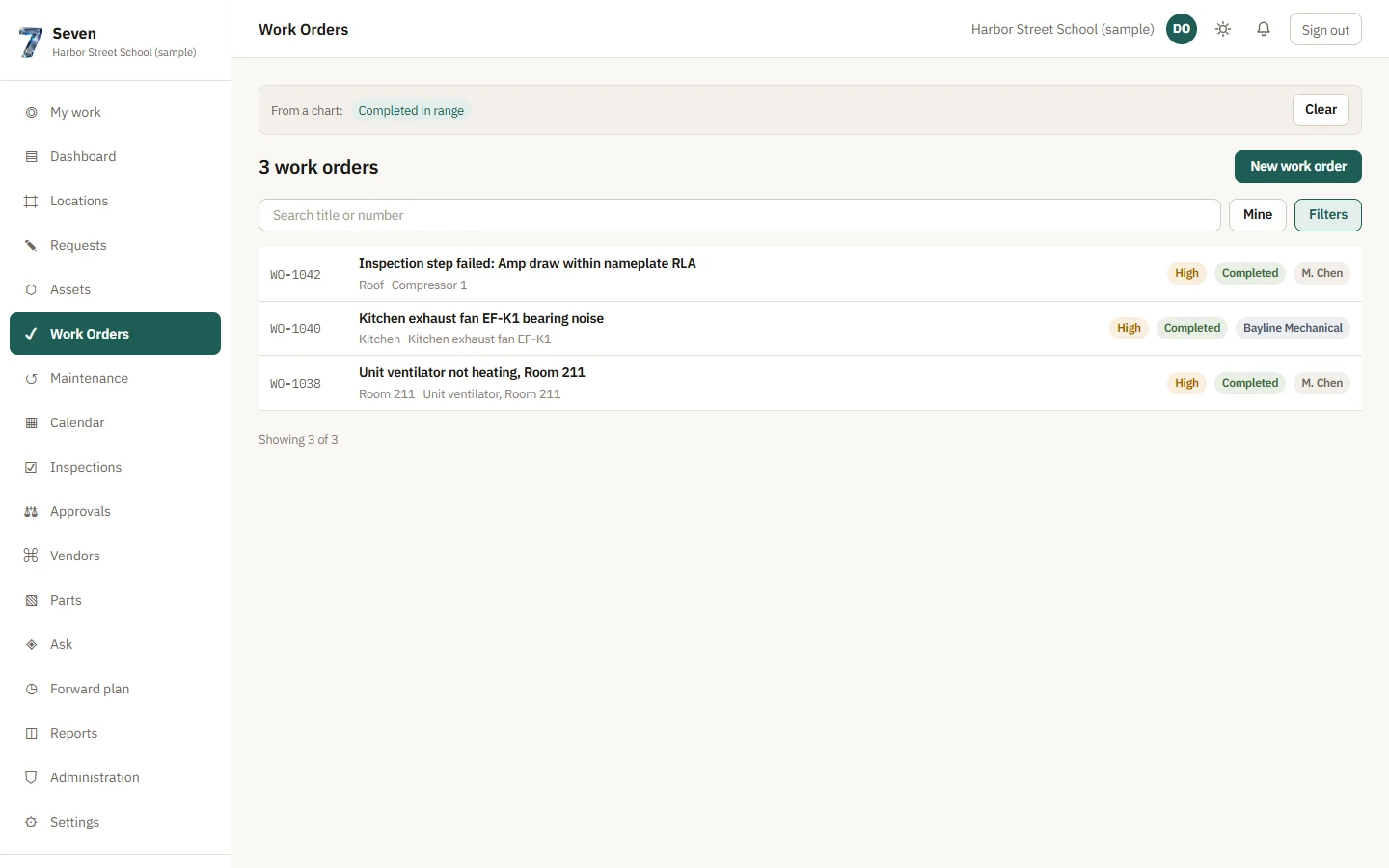
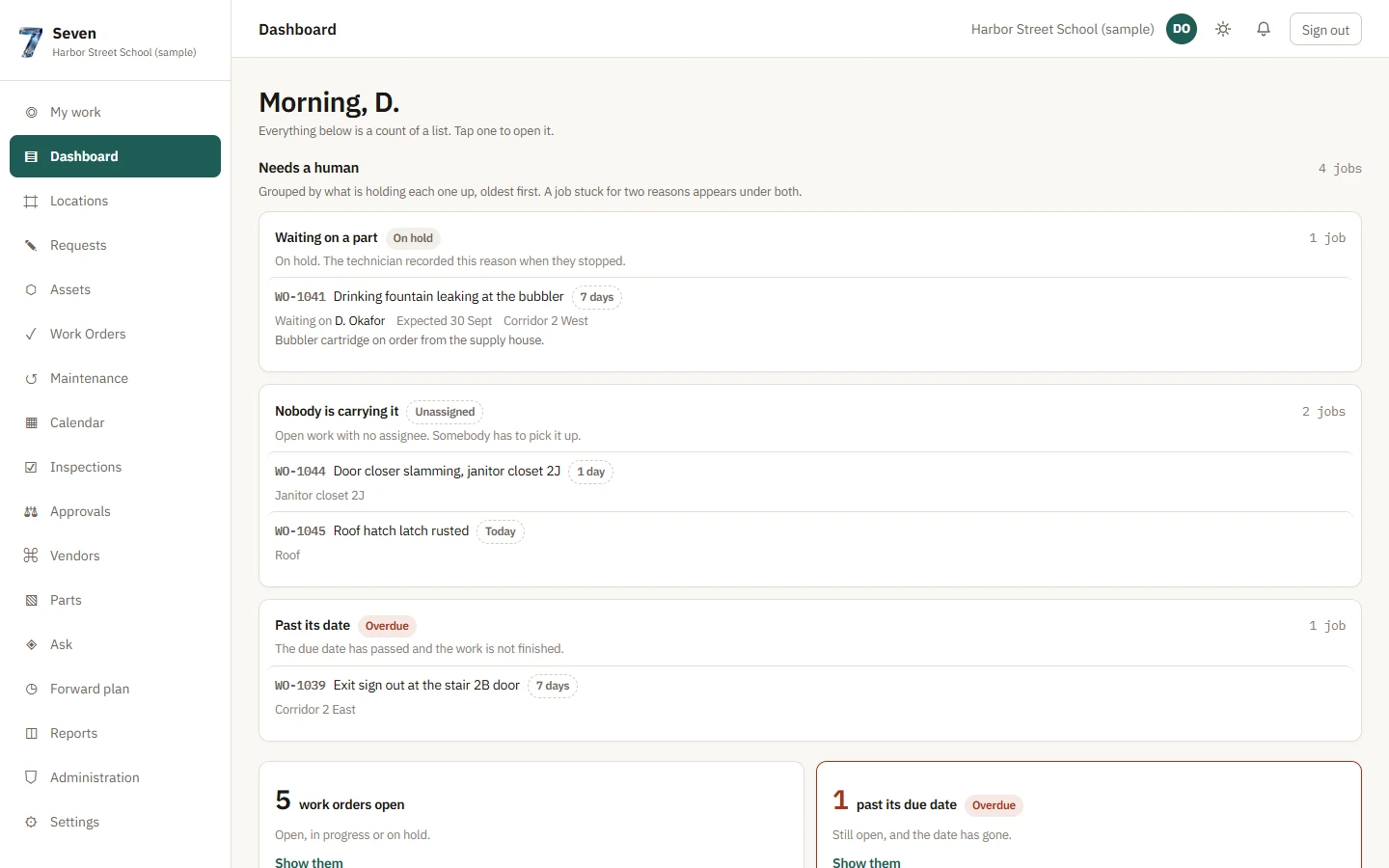
- Tap any count to see the work orders behind it.
01 The site
It starts with where things are.
Site, building, floor, room. The way your team already finds things.
Call it a wing, a line or a suite. Seven uses your word.
02 The floors
Floors you can actually read.
Upload your floor plans. Outline the rooms. Pin the equipment where it sits.
03 The request
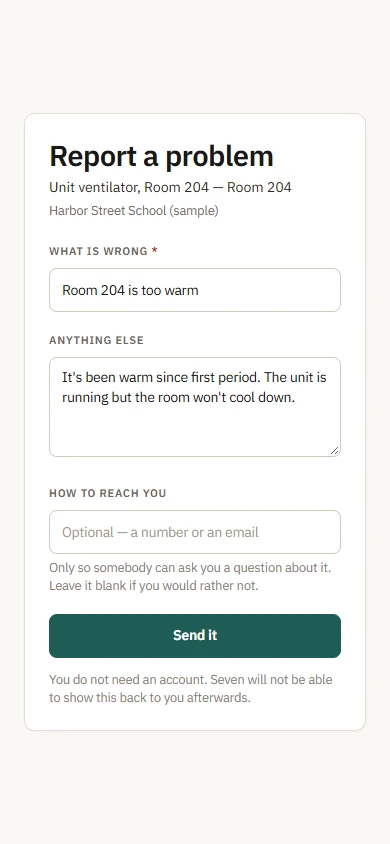
Report it where you see it.
Put a label on the unit. Whoever notices the problem scans it and says what’s wrong. The request already knows which room and which unit.
Open the floor plan and every room shows the most urgent thing open in it.
04 The unit
A rooftop unit isn’t one thing.
Every compressor, fan motor and economizer keeps its own service history. So you can see which one keeps failing.
Filters aren’t equipment. They’re a quarterly task and a part in the storeroom.
05 The work
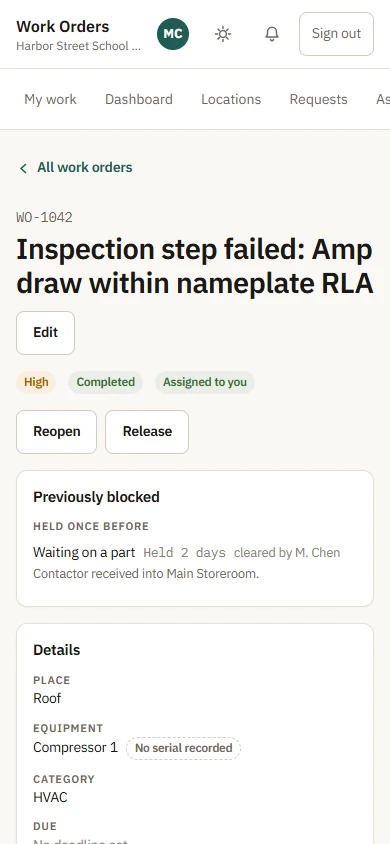
A step fails. The work order is already open.
Nobody has to remember to write it up.
Waiting on a part? Put it on hold with the reason. The due date stays where it was.
The part, the hours, the photos and what actually failed go on the work order as it happens. Not in somebody’s notebook.
Attached to RTU-04-C1 · Compressor 1
Quarterly compressor inspection — “Amp draw within nameplate RLA” failed
Technician · Inspection v1
WO-1042 opened automatically for Compressor 1
Automatic · WO-1042
Assigned to a technician
Manager · WO-1042
On hold — Waiting on a part. Due date unchanged.
Technician · WO-1042
Contactor received into Main Storeroom
Manager · CTR-3P-40-24
Contactor issued to WO-1042
Technician · WO-1042
Photo attached
Technician · WO-1042
2.5 hours logged
Technician · WO-1042
Completed — Worn out · Compressor 1 at 18,420 run hours
Technician · WO-1042
One job. Nine things happened. All of them are on the work order.
It finished late, and the work order says so.
06 The history
The job ends. The record doesn’t.
Put the unit back together and its history stays with it: every hold, every part, every hour.
Nothing gets quietly deleted. The next person to open RTU-04 starts with everything the last one knew.
1 open item on this floor isn’t on the drawing yet. Seven tells you instead of leaving it off.
Attached to RTU-04-C1 · Compressor 1
Quarterly compressor inspection — “Amp draw within nameplate RLA” failed
Technician · Inspection v1
WO-1042 opened automatically for Compressor 1
Automatic · WO-1042
Assigned to a technician
Manager · WO-1042
On hold — Waiting on a part. Due date unchanged.
Technician · WO-1042
Contactor received into Main Storeroom
Manager · CTR-3P-40-24
Contactor issued to WO-1042
Technician · WO-1042
Photo attached
Technician · WO-1042
2.5 hours logged
Technician · WO-1042
Completed — Worn out · Compressor 1 at 18,420 run hours
Technician · WO-1042
One job. Nine things happened. All of them are on the work order.
It finished late, and the work order says so.

Drag to turn
07 The numbers
Don’t trust a number you can’t open.
Tap any count in a report and you get the work orders behind it.
If a number is missing information, Seven says what’s missing instead of showing a zero.
3work orders completed· September · Sample organizationSee the work orders
- WO-1042Inspection step failed: Amp draw within nameplate RLACompressor 1 · RoofWaiting on a part11 Sep 2026
- WO-1040Kitchen exhaust fan EF-K1 bearing noiseKitchen exhaust fan EF-K1 · KitchenWaiting on a contractor9 Sep 2026
- WO-1038Unit ventilator not heating, Room 211Unit ventilator, Room 211Can’t get in3 Sep 2026
All three finished late. Seven marks each one “Missed target.”
One of them is the compressor job you just watched, late because it waited on a part. The other two waited on access and on a contractor.
 Sample organization
What each person sees
- Sample organization
Requester
Reports it from where they’re standing, and gets told it went through.
 Sample organization
Technician
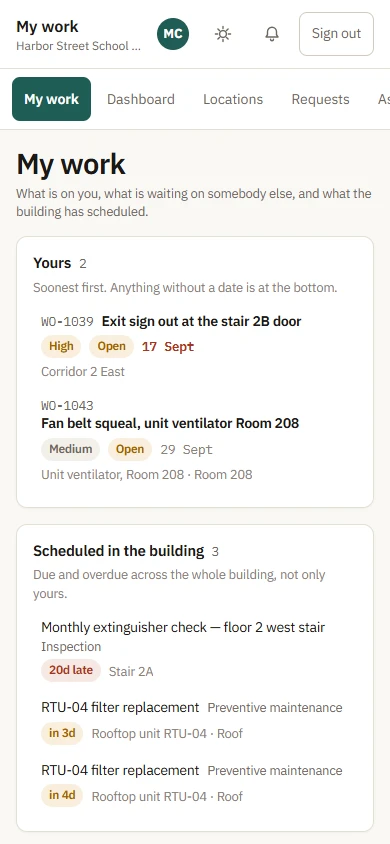
Sees what’s theirs, what’s on hold and what’s due, plus everything that’s been done to that unit.
 Sample organization
Manager
Sees what’s stuck and why: unassigned, past due, waiting on a part.
- Sample organization
Director
Gets numbers they can check, down to the work order.
Sample organization